Agio calculation - The realized model
The system tracks agio as either unrealised or realised. Unrealised agio is calculated at period end for unpaid foreign currency items. Realised agio is recorded when payments are made, moving amounts from unrealised to realised and posting against the actual payment.
The behaviour of splitting agio into unrealised and realised is controlled by a system-level setting. Once activated, all foreign currency transactions follow this model, ensuring consistent accounting treatment of gains and losses.
The company setting is called First accounting period for the realized agio model.

RamBase has two processes for calculation of agio, both are described below. The first process is done during period closure by the user. The second one is done automatically by RamBase when registering customer and supplier payments.
Unrealized agio calculation from the Period Account Register (PAR)
The calculation of the unrealized agio is performed in the Period Account Register (PAR). One of the procedures during period closure is to import the unrealized gain and losses to the general ledger.
When closing an accounting period, the closing period's opening balance must be reversed, and the current period's balance must be imported. The import job will automatically split the unrealized gains and losses.
General ledger account setup - unrealized
General ledger accounts set up in Account Defaults (ACD) for Unrealized gains and Unrealized losses are used when agio is created during period closure in PAR.
ACD/UNREALIZEDGAINS and ACD/UNREALISEDLOSSES

Reverse the last period’s inventory balances and import the current inventory balances
To open the Period Account Register (PAR) application, find Finance in the RamBase menu and then General ledger. Click Accounting periods to enter the PAR application.
Highlight the relevant period and press ENTER.
Select the Agio folder.
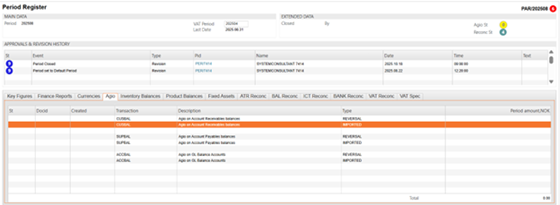
Right click and choose menu option Create reverse and import agio.
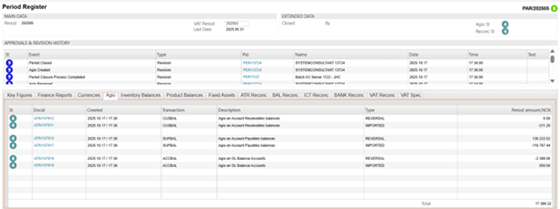
If everything is correct, the lines will now be marked with Status 4 with reference to a general ledger entry. Agio status in the upper right corner will be Status 4.
Agio calculation in PAR will create 3 sets of documents:
CUSBAL - Agio on Account Receivable (AR).
SUPBAL - Agio on Account Payables (AP).
ACCBAL - Agio on all other GL accounts (Not AR & AP).
General ledger postings (ATR) documents for CUSBAL and SUPBAL will be calculated based on customer and supplier balances in foreign currencies. Each ATR item will have a reference to a Customer / Supplier Account and currency. The amount will be calculated based on:
For all transactions (CAT & SAT) that are open by the end of current period but registered in an earlier or in the current period: Agio will be calculated using the transaction rate and the current period-end rate.
ATR document with transaction type ACCBAL will handle all other GL accounts (Not AR & AP) and agio will be calculated this way:
For all transactions (ATR items) that are registered in earlier or current period: Agio will be calculated using the transaction rate and the current period-end rate.
Example
Your system currency is USD.
You have a CIN for 100 EUR.
The day the CIN was registered (St:4) the rate was 1,1.This means that the value of this CIN in your system currency is (100*1,1) = 110 USD.
The registration of the CIN generates an open post in the Accounts receivable ledger for 110 USD.
On the last day of the month the rate was 1,2 (Period rate).
By the end of the month the open post was agio calculated based on the period rate and the currency rate on the date of registration.(100*1,2) - (100*1,1) = 10. This means an agio profit of 10 USD.
If the CIN is not paid by end of next month, the unrealized agio for the previous month will be reversed and the open post (CIN) will be agio calculated based on the new period rate and the transaction rate.
The new period rate is 1,4.
(100*1,4) - (100*1,1) = 30. This means an agio profit of 30 USD.
When payment occurs, any unrealised agio is moved to realised agio. For example, if the invoice is paid at a rate of 1,5 EUR/USD, the difference between the payment rate and transaction rate is posted as realized agio on the payment.
Relevant report: FRP > ACCBAL > GL Account Balances, from AGIO calculations.
Realized agio calculation on Payment (PAY)
For all invoices or credit notes linked to a payment, realized agio will be calculated using the transaction rate and the payment rate. This applies to all invoices or credit notes regardless of whether they are registered in an earlier period or in the same period as the payment. The realized agio is presented in the field Currency Adjustment on the payment.
General ledger account setup - realized
GL accounts set up in Account Defaults (ACD) for Realized gains and Realized losses are used when agio is created during registration of PAY.
ACD/REALIZEDGAINS and ACD/REALISEDLOSSES - Currency deviations on payments.

Currency deviations in payments
GL account for Currency Deviations on Payments.
Scenario Example:
Payment Currency: NOK (Norwegian Krone)
Invoice Currency: EUR (Euro)
In this example:
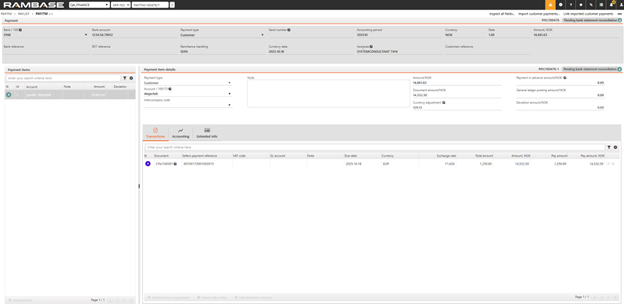
The sales invoice is for 1,250 EUR, registered on 2025.09.18 with an exchange rate (RATE) of 11.626.
The payment has a CURDATE of 2025.10.18, with a RATE of 11.7293.
Calculation of Currency Adjustment
The Currency adjustment field reflects the currency deviation, calculated as follows:
Determine the Payment Value in Local Currency (NOK): 1,250 EUR * 11.7293 (CURDATE RATE) = 14 661,63 NOK
Determine the Invoice Value in Local Currency (NOK) Based on RATE from invoice: 1,250 EUR * 11.626 (2025.09.18 RATE) = 14 532,50 NOK
Calculate the Currency Adjustment: 14 661,63 NOK – 14 532,50 NOK = 129,13 NOK
The resulting currency adjustment of 129,13 NOK reflects the gain (or loss) due to exchange rate fluctuations between the invoice registration and payment dates.
When payments are processed, unrealized agio from previous periods is automatically transitioned to realised agio and posted to the appropriate gain or loss account.
Inspecting the Currency Adjustment Field
The Currency Adjustment field includes an Inspect feature:
Clicking this allows you to view a detailed report of the currency loss or gain for the selected invoice and any credit notes linked to the payment.
This report helps trace and verify how the deviation was calculated.

Explanation to the «Deviation amount»
Differences due to different exchange rate in bank and RamBase. This is the difference between the value of the invoice based on RATE of the Currency date of the payment and what is received in bank. This deviation in «Deviation amount» could also contain of for example bank fees.
Example Calculation:
Invoice amount: 1 250 EUR
Exchange rate on Currency date: 11.7293
Invoice value in base currency: 1250 ×11.7293 = 14 661.63
Amount received in the bank: 14 531
Difference (Deviation Amount): 14 661.63−14 531=−130,63
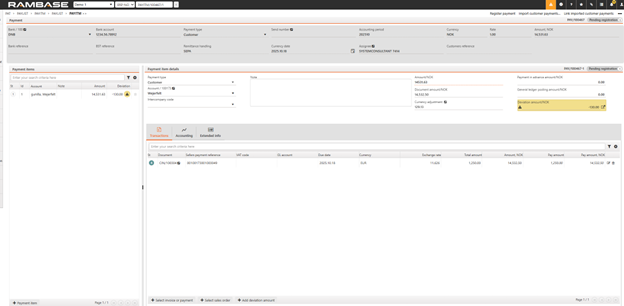
The user can decide how to post this deviation to the General Ledger (GL). This process is performed manually.
To simplify reconciliation between system-calculated and bank-applied exchange rates, the user will also have the option to allocate these differences more directly.
This option allows users to post remaining exchange rate differences to the realized exchange gain/loss account.
The functionality mirrors the layout of the GL Account transactions pop-up, but only allows editing of the amount field (and, if needed, dimensions).
The general ledger account is automatically selected based on the company’s exchange gain/loss configuration.

ACD/EXCHANGE - Currency exchange

GL account used when:
When payment and invoices/credit notes have different currencies, additional posting is made to balance out the GL postings.
When a payment has many invoices and credits with different exchange rates, GL postings may not balance because of round offs on calculated average exchange rates. Additional posting for exchange rate difference is then made, if this difference is less than given in CompanySetting "MaxPaymentCurrencyDeviationOnLedgerSpecification".
Postings to the GL account in ACD/EXCHANGE:
When the amounts in USD and EUR are exchanged to NOK, two EUR postings are created because of the currency posting.
Typically, only minor round-offs are posted to this account due to rounding of exchange rates and two-decimal resolutions in GL.
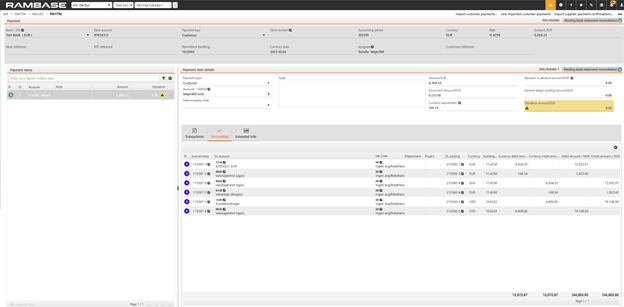
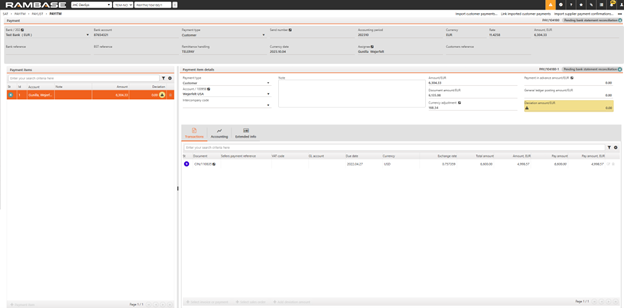
The effect on ACC/8060 for this payment will be:
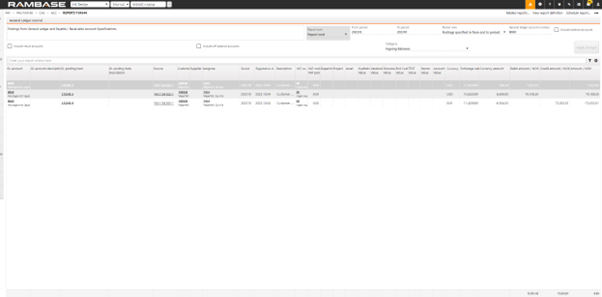
ACD/VATRATEADJ - Vat rate adjustment on Invoices and Credit Notes
This GL account is used when VAT adjustments are needed due to differences between the VAT rate and the exchange rate on invoices or credit notes.
Example Scenario:
An inbound invoice (SIN) has a VAT rate (VATRATE) that differs from the exchange rate (RATE):
RATE: 11.4258
VATRATE: 11.2535
VAT amount: 250 EUR
Calculation:
Convert VAT amount using RATE: 250 EUR×11.4258=2 856.45 NOK
Convert VAT amount using VATRATE: 250 EUR×11.2535=2 813.375 NOK
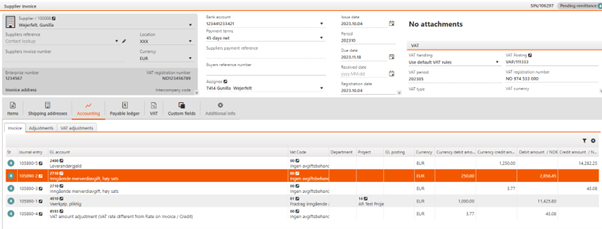
Difference: 2,856.45−2,813.375=43.08
Accounting Impact:
This difference of 43.08 NOK is posted to ACD/VATRATEADJ.

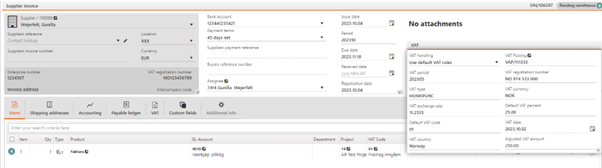
The accounting will look like this: