Products requiring export license
Shipment of products may be subject to export license regulations. Therefore it is possible to add an approval process for these goods.
Important
The approval process is configured through the Approval configuration (APC) application and has its own trigger for Automated flows (FLW): SalesOrderItemNeedExportLicenceApproval. The trigger can be used to automate actions and notifications related to export license approval requirement.
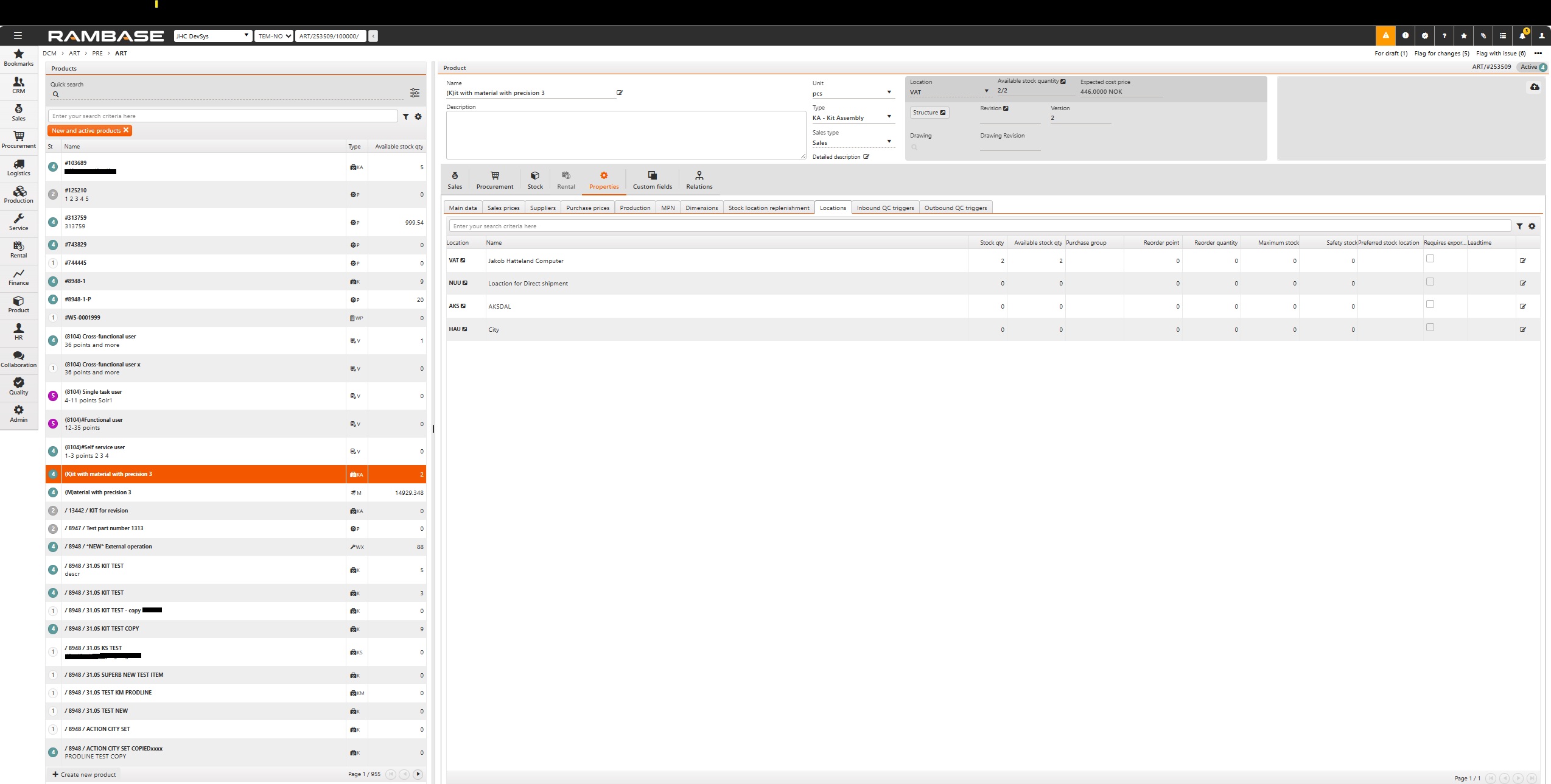
From the Product (ART) application, navigate to Properties, then Locations. Click the cogwheel icon and add the column Requires export license , followed by the Edit icon. Tick the checkbox and save the changes.
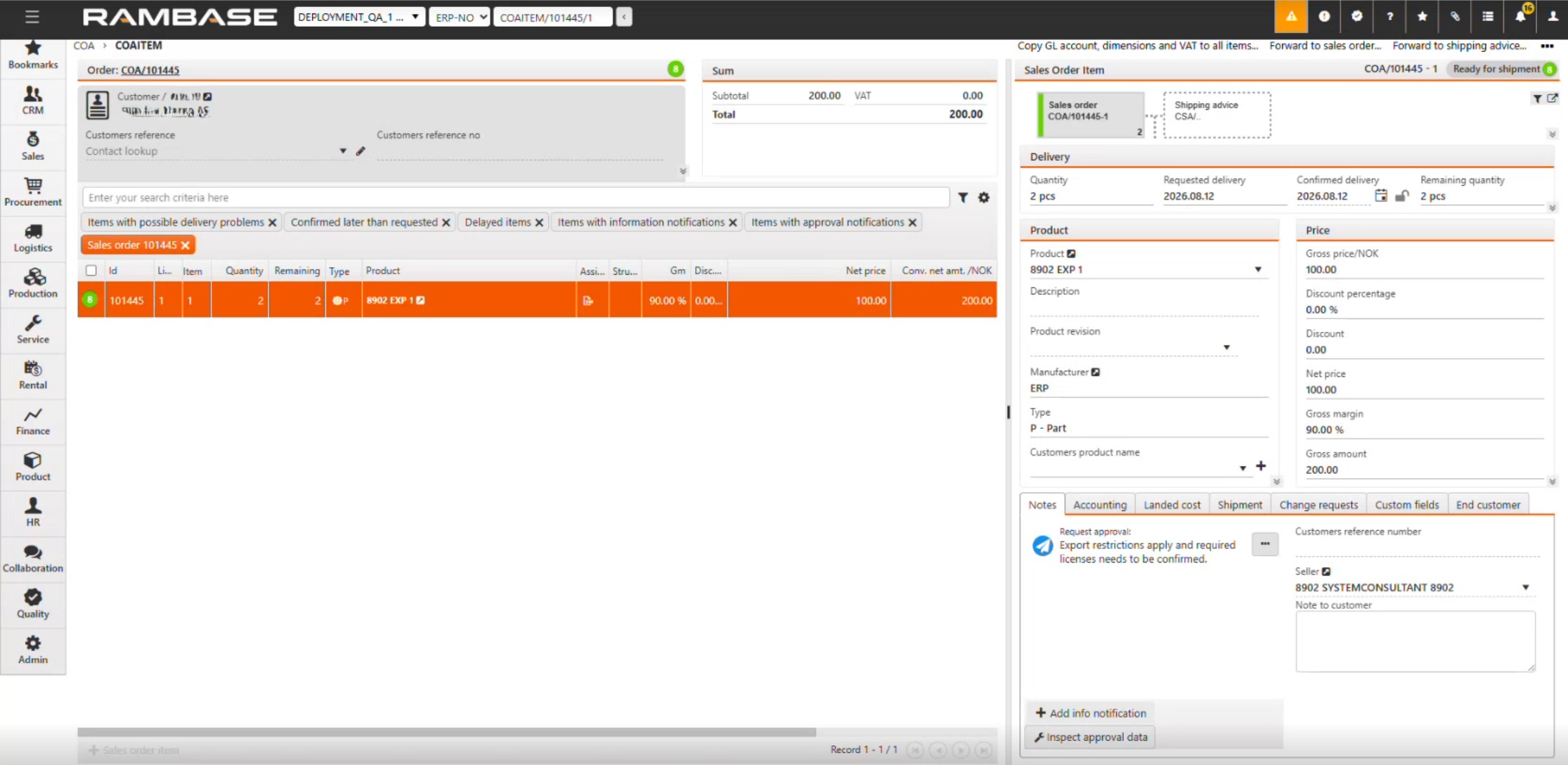
Approval can be requested for the item by navigating to the Notes tab in the bottom right corner of the Sales order item (COAITEM) application and clicking the three dots to the right of the Request approval: Export restrictions apply and required licenses needs to be confirmed note. After clicking the three dots, select Request approval. Approval of the export license follows the standard approval process.
The note will be updated to Pending and display the name of the user who is responsible for the approval. When approved, the sales order item can be forwarded to shipping advice.
Note
Updating products that require an export license can also be done via ARTUPLOAD. Use value 1 in the RequiresExportLicense column.
To disable this functionality, turn ON the Deactivate Approval message - Export licence required Company setting (CSV).